|
If you've run Ceph clusters for a long time, you probably either finished or are going through a Filestore to Bluestore conversion. For big clusters with lots of objects, it's a very long process. One of our oldest clusters has been converting for over a year, and it still isn't finished yet. It's a complicated function of object size, number of objects, EC settings, storage speed, etc. A few places probably built a parallel cluster(s) out and copied the data between them. We've done that in a few places, but there were a few business needs that required conversion in place. For that large cluster, we chose the "whole host replacement" method described here: https://docs.ceph.com/en/latest/rados/operations/bluestore-migration/#convert-existing-osds. This method works, is safe, and it's supported by RedHat if you're under commercial support. There's one problem with that article though. It doesn't tell you how to put your spare host back into the cluster once you're done. It tells you to kick a node out with this command: One would think it would be as simple as running the opposite, right? Well sorta. The command is indeed "ceph osd crush link", but that command isn't documented well and there are no examples of people using it in search results. So, this blog post is an attempt to seed the search engines. You would run something like this to get that host back in the default root: Or put it in a specific rack (like I wanted): I've been pretty busy with work, so I've been lagging here on updates. Thankfully, I've been keeping up with my tank maintenance and things are overall going well. Since the last update there have been a few changes:
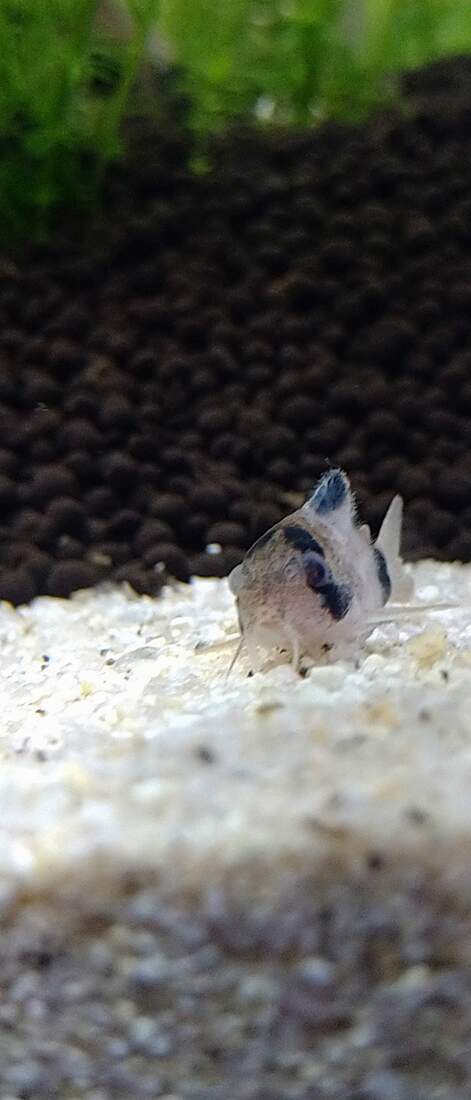
Panda cory catfish just really are not the hardy fish that people say they are. Sorry, they're just not. They're so spazzy and dumb that they will willingly rip off their barbels while eating. What a silly fish. Once they're gone, the barbels are gone. They won't grow back (despite the one out of thirty people on the net that says they will). I now feed mine in a glass bowl so that this doesn't happen again. I've got one Panda Cory that has no barbels and an empty hole where his mouth should be. :( One of my berried ladies Rando video where I discovered an Amano was berried The orange spot in upper center is a shrimplet. Zoomed out to show size. 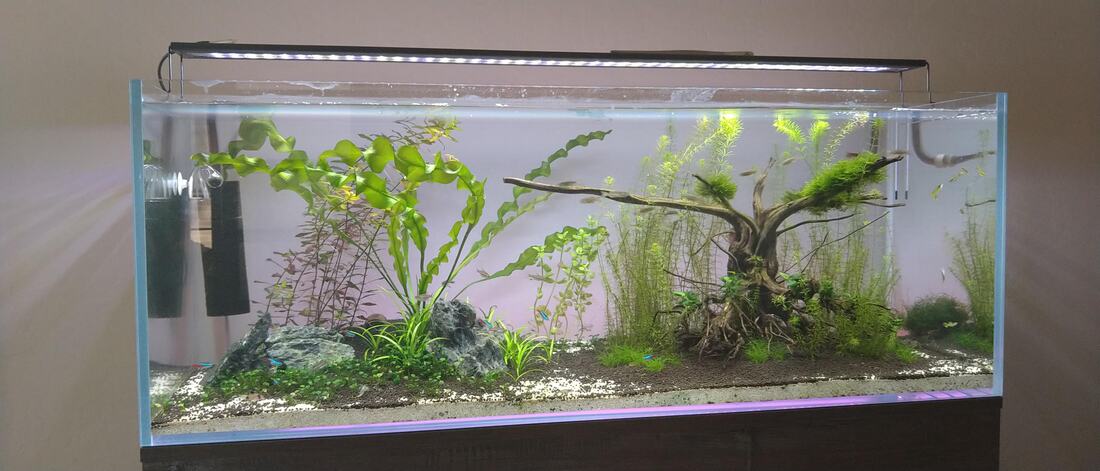 Wide shot of a messy tank If you're still here and reading, thanks! This is one of my outlets during the pandemic, much like the tank. For those who didn't read the first few posts, this is my first attempt at a planted tank. I'm not going to call it an aquascape, though I may use the term aquascaping for keeping the plants alive through maintenance. I'm not creating a replica of nature in a glass cube. I'm creating a fish tank with live plants. First, I want to make the fish happy. Second, a planted tank can cut down on algae. Third, well I wanted to do something different this time. Wooooo are planted tanks different! A lot of the old adages from freshwater fish-only tanks are no longer applicable. I'm not going to bore you with the nitrogen cycle, there are videos for that. In short, fish eat food and create waste. The waste builds up in a tank and must be dealt with. Healthy aerobic and anaerobic bacteria can break these compounds down in well established tanks. Starter bacteria can help you with that, but it's not magical. The usual way of dealing with uneaten food and fish waste is frequent gravel vacuuming and water changes. The idea is that replacing the water on a regular basis and sucking up the muck will keep things clean...until the next session. For most people, they can't handle this. Even then, things can happen and you have mass die-offs. Ammonia is the most dangerous compound that can build up in fish-only tanks and kill off our slippery friends quickly. A few days of not watching things and uh-oh...floaters. Oh, and don't confuse the nitrate cycle with "cycling" a tank. Folks use the "cycling" term with what happens to the typical fish-only aquarium. That is, they setup a tank and everything is fine with a few fish. Diatoms (brown algae aka "brown snow") that appear after a few weeks, only to be crowded out by algae a bit later, folks then try everything to get stuff in balance, and eventually a few weeks/months after that, things finally establish a harmony. Along the way, many fish are lost. Planted tanks are...different. You still need to do big water changes when starting (bigger sometimes), but vacuuming the gravel isn't a thing. You have soil. It's hard to vacuum without sucking up the soil. Oh and all that stuff you want to get out? It's food for plants! Plants turn ammonia and nitrate into food. They take in CO2 and produce oxygen. Live plants complete the ecosystem for a low maintenance tropical aquarium. Fish provide fuel for plants, plants provide fuel for fish (oxygen and clean water). Plants do such a great job at keeping things clean, you'll often find no filters at all on a well established, well maintained, densely planted tank. The tricky thing is keeping the plant growing thing in balance. Plants need high light levels to grow properly. High lights can also trigger algae growth. Plants also need CO2 with photosynthesis to produce oxygen. We take CO2 for granted when growing plants outside of aquariums. We have too much of it in the air right? Bill Gates is trying to bury it all in rocks. In an aquarium, the amount of CO2 in water is about 1/30th the amount in the atmosphere. So now you need CO2 gear to diffuse the gas into the tank. But oh yeah, too much CO2 and you'll kill your fish. I almost did this. I was trying out a new CO2 reactor below the tank, and I didn't realize that the flow rate was too high (this thing is VERY effective). Luckily Remy was right there and said, "Hey dad, look at the tetras. They're doing something funny in the corner." I'm glad he was there because I was eyes-down below the aquarium looking at this reactor. The fish were at the top of the tank, gasping for oxygen (and air -- even those without a labyrinth). I immediately did a huge water change and pointed the filter output up, creating massive water ripples (to bring in more oxygen). The final toll was one panda cory, but I'm not sure that was actually from the CO2. I got it in a bad batch where the other compatriots died quickly -- one on the way home and the other within 24 hours. The LFS employee basically crushed them all while trying to catch them, the tank conditions were bad, and they had a bacterial/fungal growth on them. I couldn't see the growth because the store had very bad lighting. Pro tip, don't buy fish from a store that isn't lit up like Fenway Park. But back to the CO2. Now you have yet another thing to keep in balance...fuckin great. Big if, but if you can, then you can have an algae free/minimal tank with healthy, happy fish. The idea is that the larger organism (plants) out compete the algae for resources (CO2, light, nutrients). So how do you get there? Next post. For now, enjoy some random videos from the early stages. Trying to find an Amano for Dustin I can watch shrimp all day 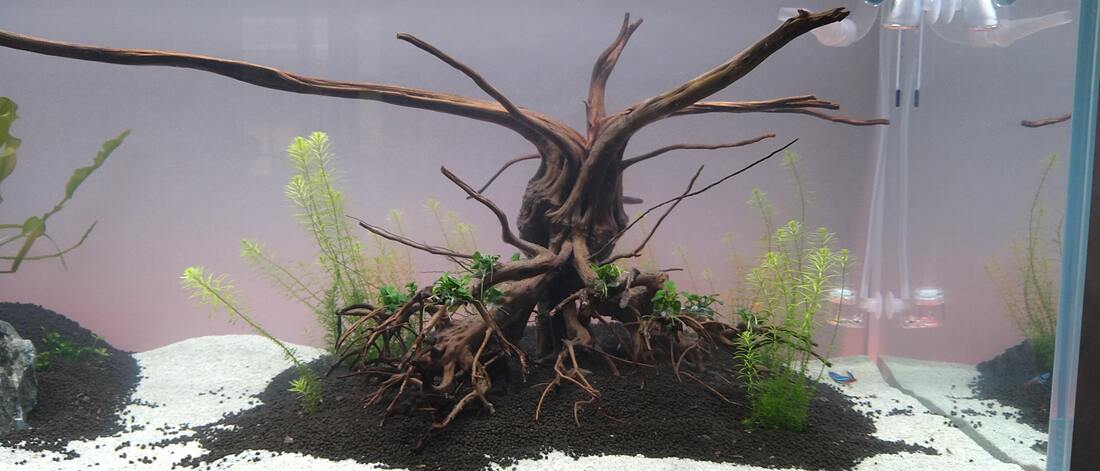 Rotala starting to grow nicely before the first trimming 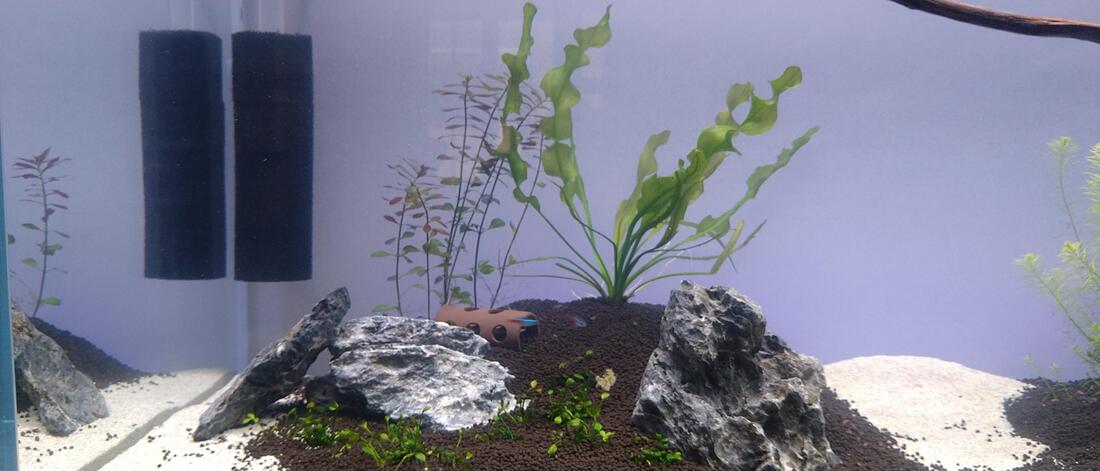 Added Ludwigia Palustris (lt) and Aponogeton Ulvaceus (rt), w/8 neon tetras and 8 Amano shrimp 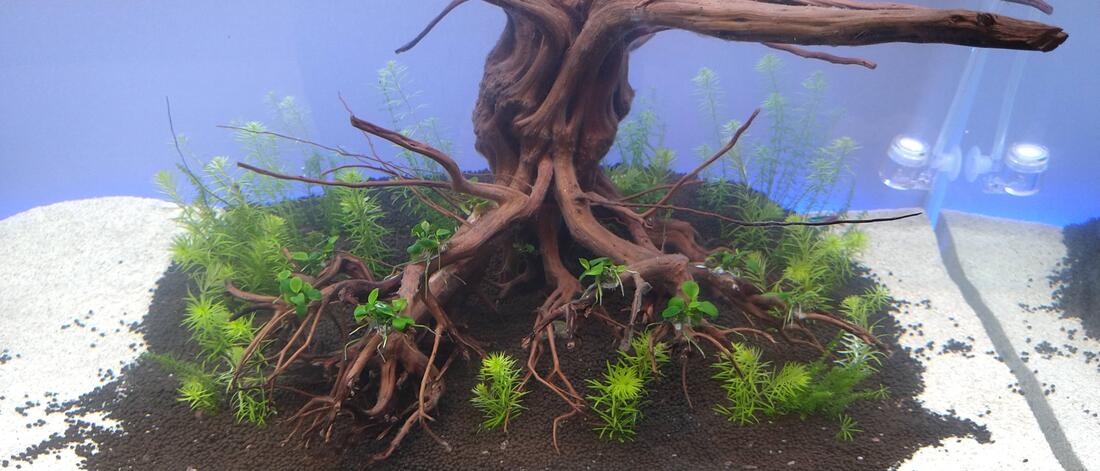 After the first trimming and replanting Pretty sure this fella was already sick when I got him. Don't think it was my accidental gassing.
So I picked out my tank setup and paid some folks to help carry it in place, just plop in some water and add fish! Bye! Not quite. You actually can do that with certain kinds of fish. Some of them are notorious for digging up plants and hardscape, so some folks just forgo the substrate (fancy term for bottom stuff like gravel or sand). Seriously. It's a legit approach to take for certain fish. Setup filter, add water, dechlorinate, add starter bacteria, and add fish the same day. I know a bunch of fish nerds are screaming about cycles right now, but that's not something you need to worry about with a substrate-less approach. That said, I'm using a substrate. I'll be setting up a planted tank so I need something to keep the bottom plants in place. I could go with floating only plants (again a legit thing!), but my fishies will want something nice on the bottom. That and I planned on adding shrimp. For my substrate base layer, I went with the Seachem Flourite Dark. I could have gone with any of the colors since it's underneath everything and will never be seen. But I went with dark because I have other plans on the horizon... 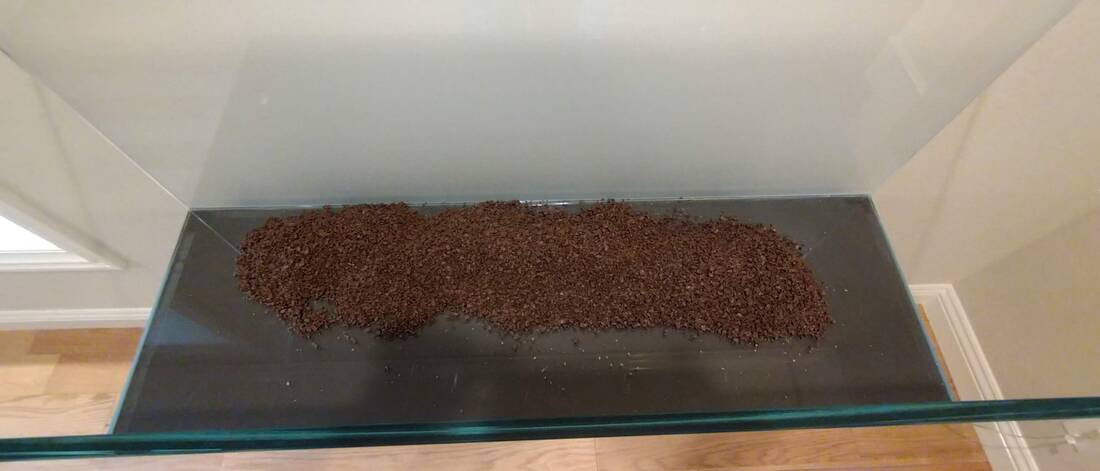 Seachem Flourite for the base layer I added some Flourite to the bottom, took this picture, then started spraying it with water from a pump sprayer. Nothing fancy, just a basic hand pump sprayer to water things and keep from drying out. A lot of these new "soils" and substrates are active and have beneficial organisms in them. If they dry out, you're wasting money. So use a sprayer to keep things wet. I added more Flourite then started to play around with the various bits of rock and wood I had. It's best to tinker around a bit with stuff now rather than later. For example, I took a handtool saw to some branches of the wood in order to fit better. It fit OK at first, but I trimmed things back so I could get scrubbers and pads in between the glass and wood. Gotta think ahead about cleaning and maintenance. Getting it right the first time pays off. 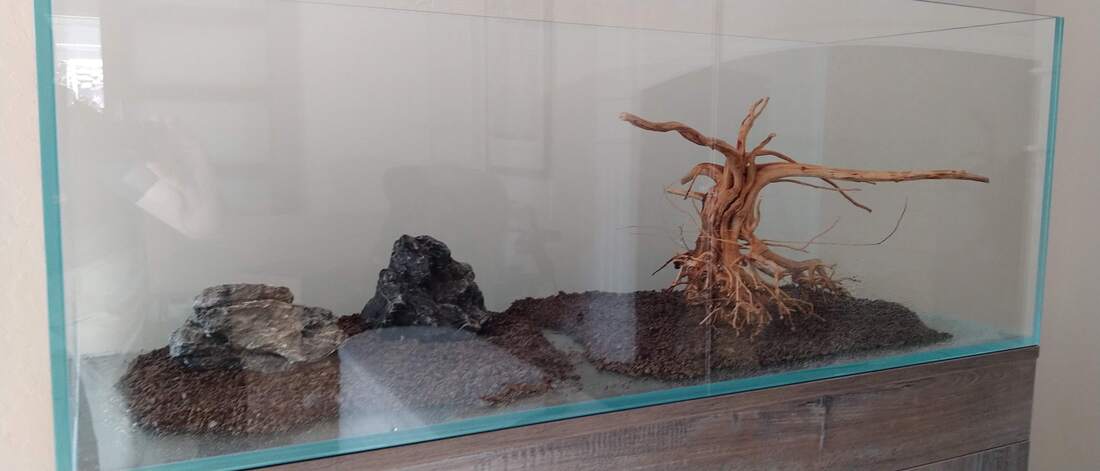 Start messing around with placement For certain things like larger rocks or stones, you might want to put them directly on the aquarium bottom. Or maybe on a rubber pad if you're worried about scratching the bottom of the glass....yeah whatever. It makes sense to not bother putting expensive substrates underneath...a rock. That and fish/shrimp will always like to rearrange things for you. Putting that rock on the bottom reduces that. The next steps I added Aquasolum on top of the Flourite and ADA La Plata sand at the edges and in between my two islands. Aquasolum is a great soil substrate to work with for keeping plants in place. It's much softer than the Flourite; helpful for shrimp and corydoras catfish! The sand at the edges was...eh I dunno. I'm just going for a tropical isle look. Maybe it's a mistake, but I didn't want to see Flourite and soil right at the edges of the tank. Thought some sand would help mellow it out a bit. I didn't take many pictures during this part of the process. Remy was starting to get antsy and not very helpful. He's not quite at the point where he could take pictures yet, so I just plowed ahead. 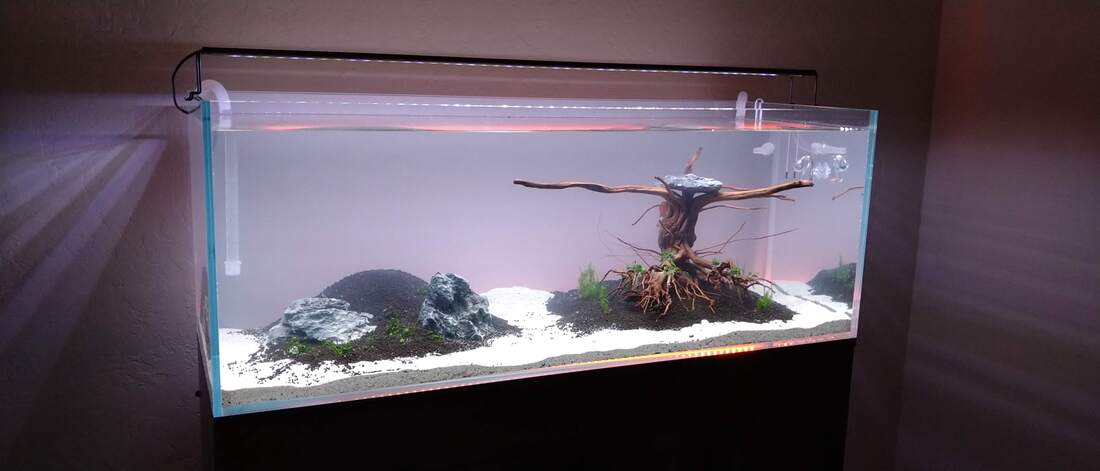 Day 1 With a setup like this, you can't just dump water in and expect it to stay in place. Put down paper towels in the tank, then add a small saucer or plate on top of it. Next slowly add the water by splashing it down to the saucer. Doing this helps keep things in place. Speaking of keeping things in place, you'll probably need to weigh down any woods with a stone if you don't want them floating away. It takes a few days for it to get water logged and stay in place. If you go with something like moor wood, soak it weeks in advance if possible. Woods like this will (inevitably) harbor some fungus that starts growing after a week or so. It's harmless white jelly slime, it just looks bad. Pre-soak for two weeks and clean it off outside. Pre-soaking also helps reduce the amount of tannins leeched into the water(if you're trying to avoid that -- some folks want the tannins). Speaking of soaking. do not pre-rinse active soils! You should only pre-rinse inert substrates like sand! (and for sand you really really really should) Things like Flourite and Aquasoil have beneficial goodies that are washed away by rinsing. I've laughed reading various forums as people bad-mouth these products ("I had to rinse it for half an hour before the color went out!"). They're washing away what you pay extra for. As for the "aqua scape", I went with two islands. The left one has a mound sloping rear to front with a few rocks around. The right island is dominated by this great piece of wood I picked up at a local fish store (Albany Aquarium). There's a bad attempt at a stream in between. We'll see how long the stream lasts. I planted some Marsilea Hirsuta for carpeting on the left island. My plan was to add one or two large plants up on the mound to dominate and take focus there. On the right island, I planted some Rotala sp Bangladesh around the tree and Anubias Barteri var nana petite on the tree roots. I used superglue to adhere the Anubias to the roots. It's a thing; people do it. It's safe and inert, and about the only bad thing is that it dries white. If you use too much, it will stick out until your plants grow over it (and Anubias are slow growing plants). All of these plants were lab grown plants bought in cups from Aqua Forest Aquarium in San Francisco. You can buy plants from LFS, but they run the risk of harboring pests like snails (or snail eggs). Some plants you can buy at bigbox stores like Home Depot. I went the lab route to start off on the right foot. It's more expensive, but it seems worthwhile when starting. I used this kit from Marine Depot for the basic aquascaping tools. Nothing fancy but they are well made. Some of this shit is ridiculously overpriced (ADA) and you'll pay $150 for a damn tiny spatula. I know why it exists and who buys it; I'm just not that person. I filled the tank with a little bit of water, then started to plant the Marsilea and Rotala using the tweezers. In hindsight, I should have bought more Marsilea as it propagates and spreads slowly. The Rotala is a weed and grows like one. As mentioned before, I superglued the Anubias to the tree roots. I didn't initially go wild with plants because: a) I feared everything would die b) I wanted to actually grow some things and watch it spread rather than just buy everything on day one. 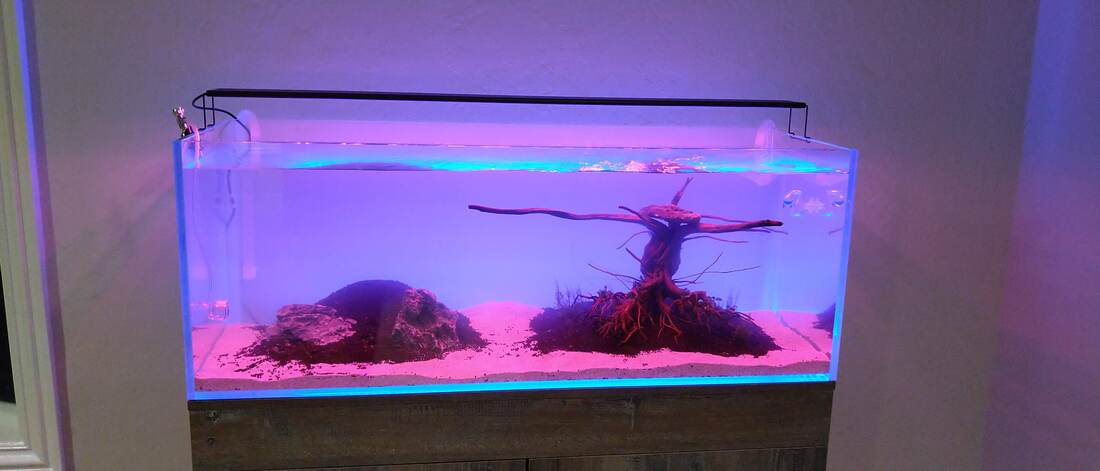 Electric blue backlight in effect It sat this way for about a week as I waited for all the plants to die...but they didn't! To my surprise, things stayed alive and well. No fish or shrimp at this point, as I waited for some of the starter bacteria to take hold in my filters. Use the starter bacteria. It's good now. It works.
If you look at the two previous pictures, you'll see some changes. I'll talk about those in the next post... In my last post, I wrote about why I was getting back into fish keeping and entering aquascaping. The decision was made, now time for the action. How does one acquire an aquarium in the middle of a pandemic? Normally, I'd visit a few local fish stores (LFS) and find one that had a nice tank/stand/filter combo. During the pandemic that was, a little hard, to say the least. First, I didn't know of many local LFS. I recently moved from SF to Orinda, and this whole landscape was new to me. Second, this wasn't going to be an average, kid's-on-the-bookshelf tank or a basement-room-tank. It was going to reside in my living room. If not a focal piece, a definite point of attention. So I had to find something that looked good, was available during a pandemic, and would somehow arrive without requiring a crew of people. I'm no longer 13, and aesthetics mean as much to me know as function did back then. To be fair, most of the aquarium stands out there are cheap (bad MDF or not even waterpoof) and don't look great. I didn't want that in my living room. The good looking stands are...well, good fucking luck finding them in stock. As is well documented, anything good pet-related in the pandemic is massively backordered or out of stock. I found a decent Marineland 75 gallon setup at a LFS, but it only had the cornerflow setup (good for marine, bad for tropical) as well as the old stand. I did manage to find the 75 gallon Marineland high def ensemble kit at a local store (Concord Petsmart). I have a vehicle large enough to fit it (Allroad -- wagons rule), but it can't fit the stand, too. And even then how am I going to get it in there by myself? Staff won't help me carry it in there and hang on to the stand while I make a 45 minute round trip. Should I bring a friend to get it? With COVID19 and a 2 month old newborn? Yeah no probably not a great idea. I did find a very nice all-in-one setup from Current USA called the Serene aquarium. In short, it's a great offering. Right off the bat, I'll admit that it's not cheap. But that doesn't mean it's a ripoff bad deal. You get a 65 gallon starfire rimless tank (blue/clear glass -- not green and no black corner braces), tested canister and heater circuit, RGB LED background lights, speakers with soothing tracks, a nice but not overpowering LED light, and a fantastic hardwood stand. Oh and freight shipping with everything assembled to your doorstep. TAKE MY MONEY! I know a lot of hobbyists will hate the price tag, but honestly, it's not a bad deal and Current has a hit on their hands. I have finite free time and I prefer to spend it with my family rather than getting everything right the first time. I could spend endless hours dicking with everything to make it just right and drilling shit in all the wrong places....or I could just pay a few hundred dollars for labor and have someone else do it. The fun part of fishkeeping is the fish -- not setting up your damn filter loop. Also, did I mention the doorstep shipping? Well, they're only obligated to bring it to your driveway curbside, but a decent tip helps them bring it down a steep driveway and look what shows up on my doorstep. 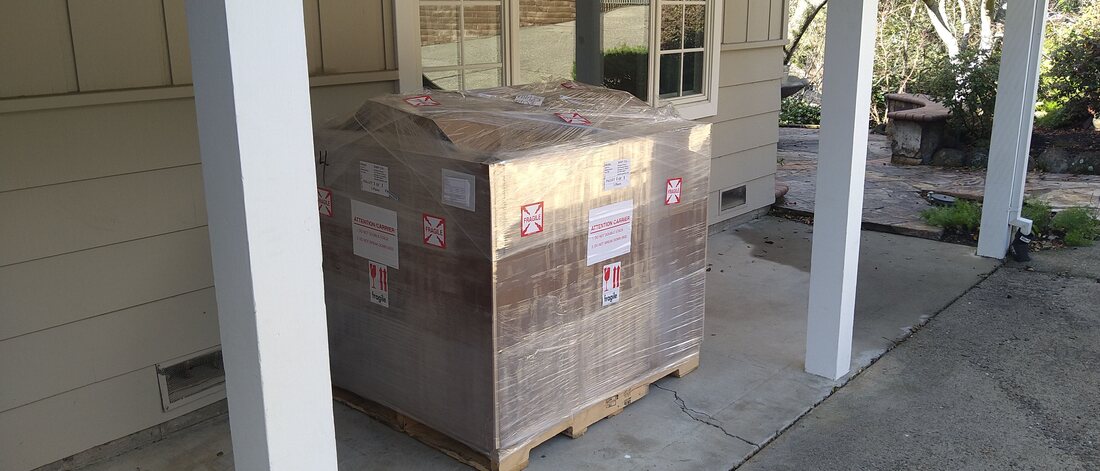 Special delivery There are a few unboxing videos on the net about taking delivery of this setup, so I'll skip that. I'll just say that it's pretty easy to open up with a simple screwdriver. Steph and I were able to get the stand inside pretty easily. It's not light, but it's not bulky nor overly weighty. I got the stand into place and leveled out. I then went out and gave the tank a lift to judge the weight. No fucking way. At this point, I did some quick math on what a 65 gallon 11mm starfire aquarium would weigh -- over 200 lbs. A friend and I could possibly get it in, but man I'm too old for that shit. I punched up Lugg on my phone, and they got it in place an hour later for $40. Seriously some of the best money I spent. The tank was set down perfectly on its self-leveling mat with nary a half mm out of plumb. 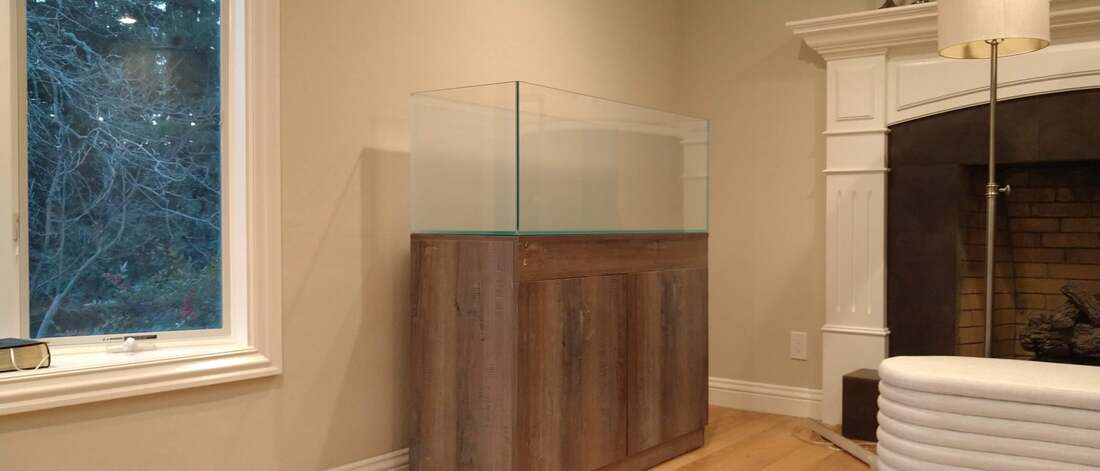 In place and ready to go 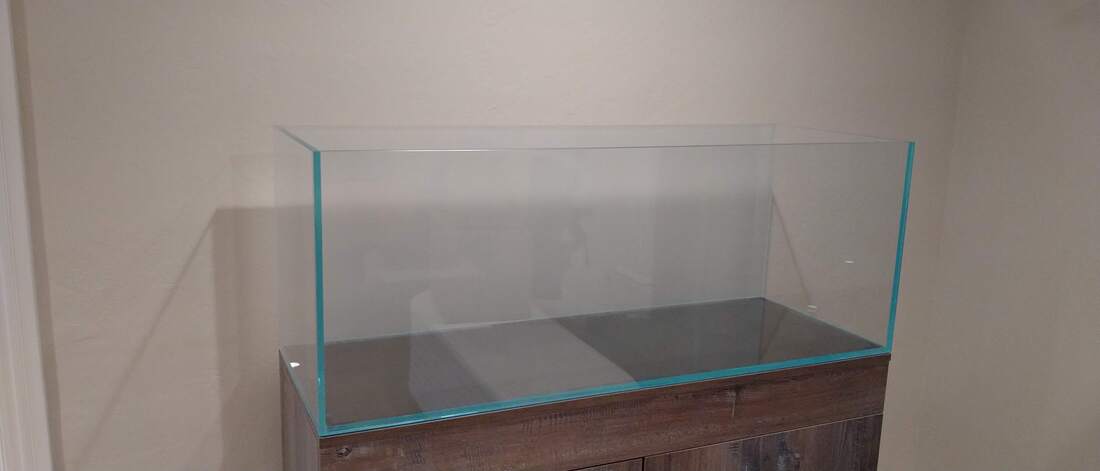 Thicc Starfire In the next post, I'll write up my first foray into aquascaping and a few tips on getting started with this new field.
|
AuthorA NOLA native just trying to get by. I live in San Francisco and work as a digital plumber for the joint that runs this thing. (Square/Weebly) Thoughts are mine, not my company's.  Moi Archives
May 2021
Categories
All
|


 RSS Feed